The board stopped booting: LPDDR4 training, and recovering an IOT-DIN-IMX8PLUS over USB
My imx-boot build failed LPDDR4 training and the gateway stopped booting before U-Boot. The cause was one Kconfig symbol. Recovering it took days, because uuu's SDP mode does not work on Apple Silicon and the board has two identical-looking micro-USB ports.
Last post ended with a successful flash and a promise to report back honestly on whether the board actually booted. Here is the honest report: it didn't.
Nothing permanent was touched — no keys, no fuses. But this is the first time the project broke something, and getting the board back took days rather than the hour I expected. The cause turned out to be a single Kconfig symbol. The recovery was slow for two reasons nobody writes down: the i.MX8M Plus serial-download protocol does not work on an Apple Silicon Mac, and the IOT-DIN-IMX8PLUS has two micro-USB ports that look identical and do completely different jobs.
If you are here from a search for DDRINFO: Ran out all [ 6 ] cfg attempts, skip to
the fix. If you are here because uuu keeps dying with
LIBUSB_ERROR_IO, skip to the method that works.
Where it failed in the boot chain
Worth having this in your head before anything else, because it tells you how much of the board is still alive when it stops:
   power on
      │
      ▼
┌────────────────┐   Mask boot ROM, burned into silicon. Reads eFUSEs and straps to
│  SoC Boot ROM  │   decide where the first bootloader lives. On this unit: the eMMC.
└───────┬────────┘   ← still fine
        │ loads imx-boot (a container: SPL + ATF/bl31 + U-Boot + DDR firmware)
        ▼
┌────────────────┐   Lives in a RAW area of the eMMC, not in a filesystem.
│    imx-boot    │   The SPL trains the LPDDR4, brings up the SoC, hands off.
│      SPL       │   ← ★ IT DIED HERE
└───────┬────────┘
        │
        ▼
┌────────────────┐   Reads its environment (a 16 KB key/value blob, also raw)
│     U-Boot     │   to decide what to boot and from where.
└───────┬────────┘   ← never reached
        │ loads the kernel + iotdin-imx8p.dtb
        ▼
┌────────────────┐
│  Linux 6.6.23  │   mounts the rootfs → erlinit → the IEx prompt
└────────────────┘   ← never reached
Dying in the SPL is, counter-intuitively, good news. The boot ROM is in silicon and cannot be damaged. The failure is entirely in a blob I wrote to the eMMC, and the eMMC can be rewritten. Nothing here is one-way.
What the console showed
DDRINFO: Cfg attempt: [ 1/6 ; ( deadbeaf / 0xdeadbeef) ]
...
DDRINFO: Cfg attempt: [ 6/6 ; ( Kingston / 0xff070010) ]
DDRINFO: Ran out all [ 6 ] cfg attempts. A non supported configuration.
Six generic memory-timing profiles tried, none matching, then a stop — before the U-Boot
banner, so there is no prompt and no shell. mr5 read back 0xff, which is what you see
when the controller cannot get a coherent answer out of the DRAM at all.
The important thing about this message: it does not tell you the cause. It reads like a hardware fault. It is not. It is a build setting.
Why it happened
I compared against the first serial capture I ever took from this board, months earlier. That one trained on the first attempt, no retries.
| Factory | Mine | |
|---|---|---|
| U-Boot SPL | 2023.04-IOTDIN-IMX8P-1.3-g70a7183523f |
built from u-boot-compulab @ 1241cf66 |
| DDR firmware | 202006 |
202006 — identical blobs |
| DRAM Kconfig | IOT-DIN 4 GB variant | DRAM_D2, the default |
The DDR firmware blobs were the same. The configuration was not.
This SoM ships in several memory populations, and u-boot-compulab selects between them
with a Kconfig choice in board/compulab/plat/imx8mp/Kconfig:
DRAM_D2      # 2 GB
DRAM_D4      # 4 GB   ← this board
DRAM_D1D8    # 1 GB / 8 GB variants
The trap is historical. CompuLab's older recipes used a single CONFIG_DRAM_D2D4 covering
two populations; that symbol was later split into the three above. Anything derived from the
old configuration silently lands on the first choice in the list, DRAM_D2, because a
Kconfig choice with no explicit selection takes its default. My build had inherited
exactly that.
So the SPL was faithfully training 2 GB timings against 4 GB of LPDDR4, failing, and then walking its six generic fallback profiles — none of which match this SoM either.
How to tell which variant your board needs
Do not guess this from the part number. Boot the factory image and ask U-Boot:
u-boot=> bdinfo
Read the DRAM bank size out of the output. ≈4 GB means DRAM_D4. Confirm from Linux too
if you can still get there:
free -h
cat /proc/meminfo | head -1
Two independent readings agreeing is worth the extra thirty seconds, because the next step writes a bootloader.
The fix: one Kconfig symbol
  # uboot/uboot.defconfig
+ CONFIG_DRAM_D4=y
Rebuild U-Boot, reflash imx-boot, done. The whole outage was that.
My U-Boot defconfig is based on CompuLab's authoritative configs/iotdin-imx8p_defconfig
at the pinned commit rather than a hand-curated one — I had tried curating it by hand
earlier and missed options, which is its own lesson. Take the vendor's defconfig verbatim
and add to it.
Now the hard part: getting a good image onto a board that won't boot
The build fix was one line. Writing it to a board that stops before U-Boot is where the days went.
The board has two micro-USB ports, and they are not interchangeable
                    IOT-DIN-IMX8PLUS
   ┌───────────────────────────────────────────────┐
   │                                               │
   │   [DBG]                    [OTG / UART-USB]   │
   │  micro-USB                    micro-USB       │
   └─────┬─────────────────────────────┬───────────┘
         │                             │
         │ serial console              │ USB gadget
         │ /dev/cu.usbserial-*         │ SDP · ums · fastboot
         │ 115200 8N1                  │
         │ stable across board resets  │ re-enumerates constantly
         ▼                             ▼
    you TYPE here                 you FLASH here

   BOTH must be plugged into the host. Straight in — no hub, no dock.
They look the same and nothing on the enclosure distinguishes them.
Here is the failure mode that cost me most: with only DBG connected, you can reach the
U-Boot prompt, type ums 0 mmc 2, and watch the board report that it has exported the eMMC
as mass storage — while the host sees nothing at all. No error on either side. The board says
it worked, diskutil list shows no new disk. Every instinct says the command failed. It
didn't; it succeeded down a cable that wasn't plugged in.
uuu and Apple Silicon: it does not work, and a Thunderbolt dock is not the fix
The documented recovery path is NXP's uuu (mfgtools) over the serial download protocol.
Installing it on an Apple Silicon Mac is easy enough:
brew install libusb
# the APPLE SILICON build from https://github.com/nxp-imx/mfgtools/releases → uuu_mac_arm
chmod +x uuu_mac_arm
xattr -d com.apple.quarantine uuu_mac_arm 2>/dev/null   # clear Gatekeeper
sudo mv uuu_mac_arm /usr/local/bin/uuu
uuu -V    # CompuLab suggest >= 1.5.201
And then it dies. Consistently, at about 8 % of the transfer, with LIBUSB_ERROR_IO. I
tried a direct cable, a different adapter, and a three-port adapter that didn't enumerate the
board at all. I went through a monitor's USB-3/Thunderbolt hub — worth stating plainly,
because the advice you will find is "use a USB-2 hub", and a Thunderbolt dock is emphatically
not that. Same failure every time.
The reason is specific and it explains why the workaround below works: SDP's first phase is a HID transfer. That is the part macOS handles badly here. Ordinary bulk USB is fine.
The method that works: skip SDP entirely
SDP exists to push a bootloader into RAM on a board that has none. But this board did have
one — the factory U-Boot was still sitting in the eMMC boot0 hardware partition, untouched,
because my broken image had gone to the user area.
And U-Boot itself offers two commands that use plain bulk USB: ums to expose the eMMC as a
disk, and fastboot to write the boot partition.
0. Connect both micro-USB ports directly to the host. Then open the DBG console:
screen /dev/cu.usbserial-XXXX 115200
# or, better, because it reconnects by itself when the board resets:
tio /dev/cu.usbserial-XXXX
1. Power on and interrupt U-Boot with any key:
iotdin-imx8p=>
2. Firmware → eMMC user area, over ums:
ums 0 mmc 2
Controller 0 is the only UDC on this SoC; ums 1 answers "couldn't find an available
UDC". U-Boot prints and then spins:
UMS: LUN 0, dev mmc 2, hwpart 0, sector 0x0, count 0x3a63e00
On the host:
diskutil list                      # the eMMC is the ~29-31 GB EXTERNAL physical disk
diskutil unmountDisk /dev/diskN
sudo fwup -a -d /dev/rdiskN -i compulab_cs_gw.fw -t complete
Use rdiskN, the raw node — the buffered diskN is dramatically slower. fwup reports
Success! after roughly 49 MB. Then Ctrl-C the ums on the board.
3. Bootloader → eMMC boot0, over fastboot:
fastboot usb 0
On the host:
brew install android-platform-tools
fastboot devices                    # confirm the board appears
fastboot flash bootloader imx-boot  # writes mmc part 1 (boot0), block 0
fastboot reboot
The board's own log confirms it landed:
switch to partitions #1, OK
mmc2(part 1) is current device
block # 0 ... blocks written: OK
No offset arithmetic and no mmc partconf juggling: the factory ext_csd already
boot-enables boot0, and this overwrites it in place. CompuLab's own recovery ends in the
same FB: flash bootloader step, so the factory U-Boot is built to support this.
4. Power-cycle properly. reset and fastboot reboot can both leave the console at
resetting ... without the ROM re-reading boot0. Pull the power.
Why the eMMC layout matters here
mmcblk2       29.2G  disk           ← user area: p1 boot files, p2 rootfs
 ├ mmcblk2p1  118M   part
 └ mmcblk2p2  29.1G  part  /
mmcblk2boot0  4M     disk  RO=1     ← imx-boot lives here. The ROM reads this.
mmcblk2boot1  4M     disk  RO=1     ← redundant copy
mmcblk2rpmb   4M                    ← authenticated; cannot be dd'd without a key
boot0 and boot1 are eMMC hardware boot partitions — separate block devices from the
user area, read-only by default via force_ro. That separation is exactly why I could still
recover: my bad write went to the user area, so the factory bootloader in boot0 was still
there to run ums and fastboot for me.
Do not assume the device is mmcblk2. On another board it may be mmcblk0. Identify it
properly: it is the disk with RM=0, it is the one backing / (findmnt /), and it is the
one with companion bootN devices.
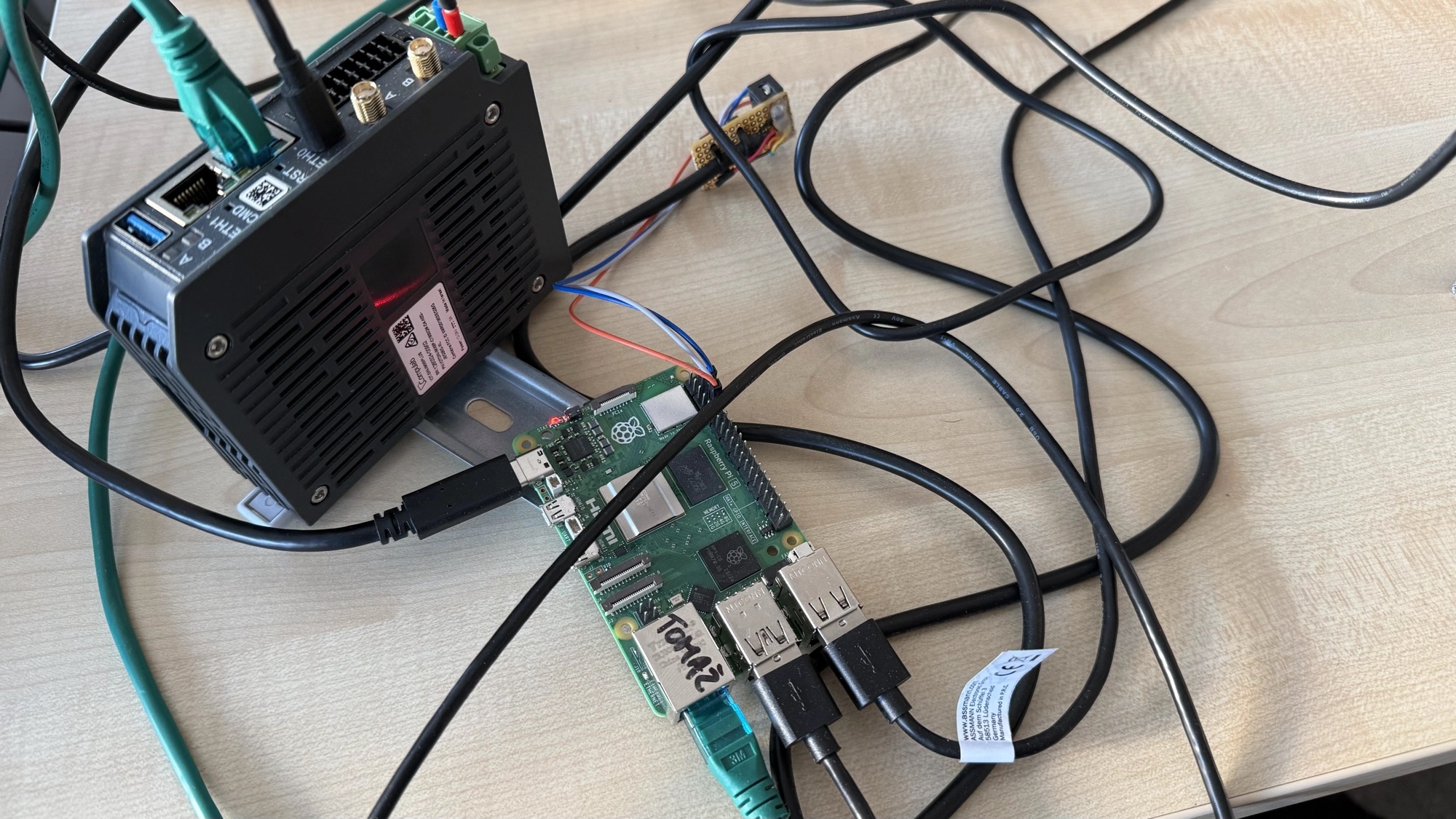
When the Mac still would not do it: a Raspberry Pi as the host
The ums/fastboot route above is what I would do first today. It is not the order I
actually discovered things in. Before I understood that SDP was the only broken part, I
spent a long time trying to make uuu itself work, and the thing that finally moved it
forward was giving up on the Mac entirely and buying a Raspberry Pi to act as the USB host.
The reasoning was narrow and worth stating: a virtual machine can never fully answer "is this a real hardware problem, or is it how the VM forwards USB?". A second, physical Linux machine removes that entire category of doubt for the price of a Pi. If you are more than a few hours into a USB problem on a Mac, buy one. It costs less than the afternoon you are about to lose.
First, a near-miss worth admitting to
Looking for my backup, I very nearly flashed the wrong one — a similarly named image belonging to a different device from another part of this project. I caught it by checking the full path and the date, not the filename.
When you have several backups for several boards, the filename is not enough. Check the fingerprint against the one you recorded when you made it:
sha256sum backups/iotdin-imx8p-boot0-factory.img
# compare against the value written down at backup time, not against another copy
Comparing a file against a second copy of itself proves nothing. Compare against the number you wrote down months ago.
The Pi had its own failure, and one very plausible wrong answer
uuu on the Pi found the board, then lost it partway through, every time — a different
low-level USB error from anything the Mac produced.
There is a well-documented cause for exactly this on Linux, and I went looking for it first:
brltty, the braille-display service. It claims unrecognised USB serial devices to check
whether they are braille hardware, and it can knock a device off the bus at precisely the
wrong moment. It is a real and common cause of "my USB serial device disappears" on desktop
Linux distributions.
systemctl status brltty
# and on a desktop distro where it is present and unwanted:
sudo systemctl mask brltty brltty-udev
It was not the cause here — the service was not installed on this Pi's OS at all. But it was ruled out by evidence in about a minute rather than guessed away, and if you are hitting this on a normal Ubuntu or Fedora desktop it is genuinely the first thing to check.
What actually mattered: which physical USB port
The Pi has two kinds of USB port, and they are not driven by the same silicon — the USB 2.0 and USB 3.0 ports sit behind different controllers. On a whim I moved the cable from one kind to the other.
The behaviour changed completely. The transfer got roughly halfway, and then something I had not seen once in the entire saga happened: the board's USB identity changed mid-transfer.
Watch for this — it is the single clearest progress signal in the whole process:
watch -n1 lsusb
The board first appears as NXP's serial-download device — vendor ID 0x1fc9, the i.MX8M
Plus in ROM recovery mode, waiting to be fed a bootloader. Once the first stage has loaded
and successfully handed off, it re-enumerates as a different device: the gadget exposed
by the bootloader now running in RAM.
That transition only happens if the first stage actually ran. Until you see it, nothing you are doing has worked, no matter what the transfer percentage says. After it, the hard part is behind you.
The front-panel LED changed colour at the same moment, which I only recognised because I had gone through CompuLab's reference material a few days earlier out of pure frustration, looking for any way to read the board's state that did not involve a cable. Worth doing early rather than late: know what your board's LEDs mean before you need them.
The lesson generalises. Do not treat USB ports as interchangeable. Try every port on the machine, and prefer the ones wired directly to the SoC over anything behind a hub, a dock or an add-on controller.
And then the console lied to me for hours
With real progress finally happening, I needed to watch the board's console — and got not a single character out of it. Not even an echo. The LED said a healthy bootloader was running; the console said nothing at all. Two signals that should have agreed, flatly contradicting each other.
The answer: the terminal program was resetting the board every time I opened it. Most serial terminals assert DTR and RTS when they open a port. On many boards those lines are wired to reset. So every time I opened a console to check whether the board was alive, I restarted it — destroying the state I was trying to observe, on two different host machines, for days.
The fix depends on your tool:
picocom --noreset /dev/ttyUSB0 -b 115200     # picocom
tio --no-reset-on-connect /dev/ttyUSB0       # tio, which also reconnects by itself
screen has no equivalent option, which is a good enough reason to stop using it for bring-up
work.
I found out the board was fine entirely by accident: meaning to quit the terminal, I
fat-fingered a plain Ctrl-C instead — and the board answered immediately with a live U-Boot
prompt. It had been sitting there running the whole time. One command confirmed it was the
right image, the version banner matching my verified backup word for word, down to the build
date.
From there it was the same procedure as before: ums to expose the boot area, write the
verified backup, then reboot — with the OTG cable unplugged first, so the ROM boots
normally instead of dropping straight back into recovery mode.
It came up all the way. Not just to a bootloader prompt: kernel, rootfs, login. The kernel version banner matched a note I had written the very first time I ever looked at this board, months before any of this started — about as strong a confirmation as I could ask for that it is bit-for-bit the software that was there before I broke it.
What actually mattered, in the end
None of the three things I originally suspected — a corrupt backup file, a bad cable, a broken recovery tool — turned out to be the story.
- A real, separate Linux host removed a category of doubt a VM could never fully rule out.
- The specific USB port genuinely mattered, for reasons I still do not fully understand at the hardware level.
- An unrelated serial-console quirk had been sabotaging my ability to see progress for far longer than I realised.
The obvious suspects were not the guilty ones, and I would have got there faster by trusting the one signal that was not going through USB at all: the LED.
Two smaller traps worth naming
emmc is not emmc_all. CompuLab's recovery page uses uuu -d -v -b emmc .../flash.bin.d2d4, which writes only the bootloader — correct for their Yocto flow,
where the OS is installed separately. Writing a full image needs emmc_all with both
artefacts. I lost time to a command I had copied down months earlier and never actually run.
Document what you have executed, not what you assume works.
Opening a serial console can reset the board. Some terminal programs assert the control
lines on every fresh connection, and on this board that can restart it. If you are chasing an
intermittent fault and every check seems to clear it, suspect your own console before the
hardware. tio reconnecting cleanly is one reason I now prefer it to screen here.
Verifying you are actually back
Do not trust "it booted". Check the banners against what you recorded before:
U-Boot SPL 2023.04-IOTDIN-IMX8P-1.3-g70a7183523f
and that the kernel comes up on the console you expect — erlinit is set to ttymxc1 here,
so if boot logs appear but the IEx prompt never does, the console line is the first suspect,
not the rootfs.
Where this leaves things
The board is back on its verified factory image, confirmed by the SPL banner matching the one I recorded before any of this started, byte for byte. Nothing in the entire episode touched a key or a fuse. The worst case at any point was "spend more time restoring a backup I already had" — which is exactly why part 4 of this series comes before anything irreversible.
Next: turning signing on for real, with a build that trains its memory correctly.